
Push Notifications for WP & AMP makes it easy to send Web Push notifications to your users for FREE
Notify your audience immediately about the news or any event that occurs.
Steps to setup Push Notifications for WP & AMP with SuperPWA WordPress Plugin
- Just Install and activate the Push Notifications for WP & AMP.
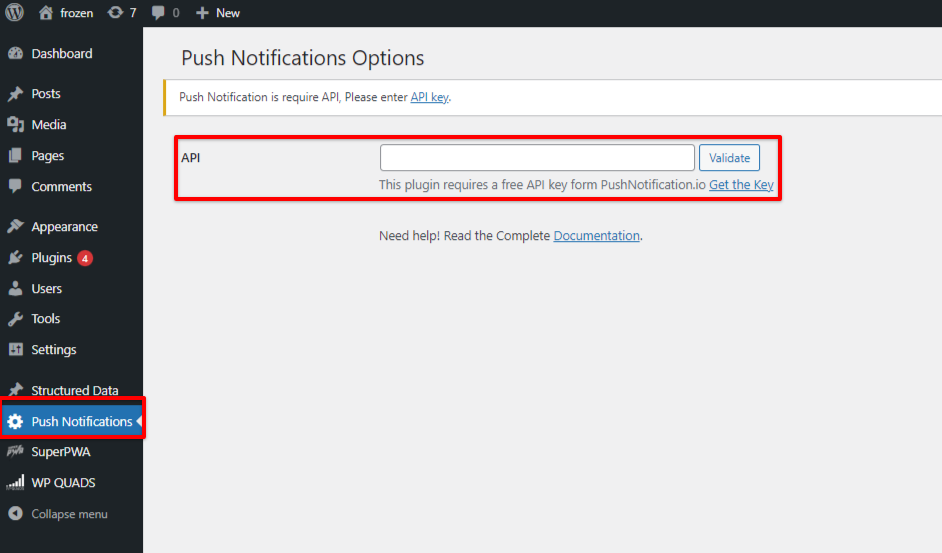
- Go to Push Notification for WP & AMP and add the API key.
- To get the API key you just need to click on Get The Key and fill the required details.
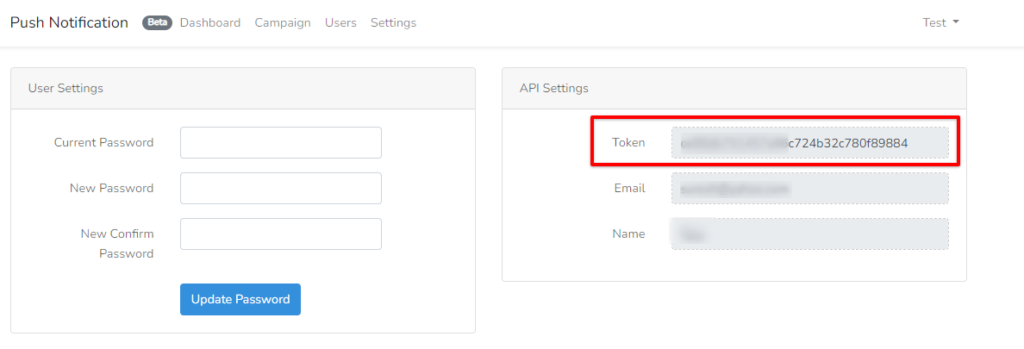
4. After filling in the required details you will get the API key.
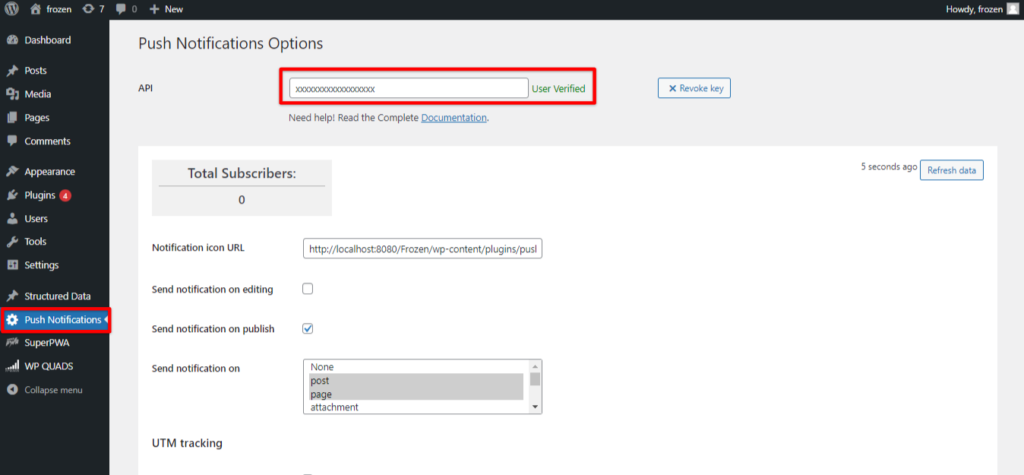
5. After adding the API key to the plugin you will be redirected to the Push Notification Option, where you can set the notification setup according to your requirement.
That’s it! Rest will be done by our plugin Super Progressive Web Apps automatically.
If you are looking for an exciting way to test your luck, be sure to read our Plinko App review. Discover all the features, gameplay tips, and winning strategies that can help you make the most out of your experience. Start your adventure today!
